Printable version

By popular demand, I’ve added a little checkbox in the options to display your word clouds full screen. This should simplify things a bit if you’re taking screenshots or printing.

TagCrowd API in development

Dear Developers,

I hear from a lot of you — almost every day, actually — asking if there’s a TagCrowd API so you can tie your own applications into our little cloud factory. As a result, I’ve started to draw up plans to implement a simple API. Please let me know what you’d like to see in terms of an interface and I’ll do my best to meet requests. If there are other similar web services out there you’d like to suggest as models, I’d love to see them too. Stay tuned for more developments.

Web scraping and other new features go live

The most common feature request I used to receive was the ability to input a URL and have TagCrowd retrieve the web page text automatically. Since my development efforts are prioritized primarily by what I receive requests for, that feature went live a few months ago to much grateful thanks. I’m pretty sure it’s how most people are using TagCrowd these days.

Another feature I get a lot of requests for is a way to create clouds that only include words above a certain frequency. As of today, you can do that too.

I’ve also taken the opportunity to clean up the interface a bit, revamp the Stoplist editor and fix some outstanding bugs. As always, keep your feedback coming, good and bad.

Photos from CSCL

TagCrowd demo

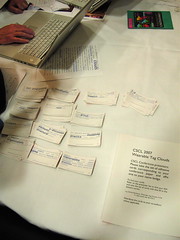
Here are some images of TagCrowd being demonstrated at the International Conference on Computer-Supported Collaborative Learning (CSCL) in New Brunswick, NJ. (Click on the photo to see the rest).

I created word cloud stickers for every presenter at the conference (all 147 of them) based on the title and abstract of the article they wrote for the conference. There just happened to be a space on everyone’s conference-provided name badge that was the perfect size for the stickers so it was easy for people to display them. I distributed the stickers throughout the conference and you could see people pointing and referring to them whenever they introduced themselves.

It was fun to instigate this at such a large scale. Next time I’ll try to work with the conference organizers directly instead of trying to distribute them all on my own. I sure met a lot of people that way, though!

At the CSCL conference

I’m currently at the international conference on Computer Supported Collaborative Learning in New Brunswick demonstrating TagCrowd to researchers in this field. I’ll post some photos and updates when it’s all over. Meanwhile, I updated the Help section and am working on unicode support for all the many alphabets in use around the world.

TagCrowd in print

The Dallas Morning News ran a full-page spread in their print edition comparing the speeches of Democratic presidential candidates announcing their candidacy. They used TagCrowd to visualize and compare the words the candidates are using most. It’s a neat use of the technology to make what Edward Tufte calls “small multiples“, small information-dense graphics that afford easy comparison.

TagCrowd has been boingboinged

Boingboing, the eminent “directory of wonderful things”, today posted a TagCrowd-produced image of Bush’s State of the Union 2007. The tag cloud was made by Jason Griffey.

Thanks, Jason, for making a fascinating cloud.

Tag clouds now embed in blog posts

Thanks to a bug report from Jason, which led me on a short development spree, you can now embed the code for your tag clouds into blog posts and other content-management systems. If you encounter any problems, please let me know what platform you’re using and I’ll jump on a solution.

New Release! Cloud saving goes live

Now when you generate your spiffy new cloud, you get the HTML source code along with it so you can easily post it on your own web pages and blogs. The code and its rendered image are released under an Attribution-NonCommercial Creative Commons License, which means you are totally free to copy, distribute, display and modify your clouds as you please — as long as you give a little hat-tip to TagCrowd for making your clouds shine.

We’ve finally achieved the founding goal of this webapp: make it easy to generate and publish a word cloud using any text source.

Enjoy, and please keep the feedback coming. Thanks so much for your great ideas and praise!

Tag Clouds in the flesh

Tonight, TagCrowd made its (physical) world debut at a Stanford faculty retreat in Half Moon Bay. I created a name tag for each professor by dropping their research statements and resumes into TagCrowd to create a cloud visualization of their interests, projects, collaborators and activities.

It was a hit.

The primary goal of these personal visualizations was to facilitate the formation of new collaborative research teams on the basis of shared interest. By making interests mutually visible when people meet each other for the first time, these “name tag clouds” can identify areas of overlap, complementary expertise, and opportunities for potential collaboration — all in a brief glance. They also serve as conversational props that ease the introduction process: the clouds present conversants a rich set of topics for inquiry.

Dan Jurafsky, John Perry & Tom Wasow

Looking around the room at any given time I witnessed circles of intellectual elites huddled intimately together, pointing playfully at one another’s clouds. Lera Boroditsky said that virtually every conversation she was in was about the cloud or referred to it.

At right: Dan Jurafsky, John Perry & Tom Wasow chat it up at the cocktail party with their clouds around their necks.

I saw some of the brightest minds in the world with child-like grins and heads tilted navel-ward to see the constellation of words and concepts that others were seeing: the alphabetic poetry of their lives scrawled across their hearts, as it were.

Daniel Steinbock in 100 words

Here is my own name tag from the event. As far as I know, this is the first application of tag clouds in a face-to-face community.

I got a lot of good feedback from the participants. In general people were impressed by how representative the clouds were.

The most common request was the wish to see a time-lapse animation of how the cloud visualization of one’s research interests evolves over the span of a career. Jeremy Bailenson suggested that color could be used to represent the time dimension even on a static picture like a name tag. My latest interests would shine red hot, regardless of size. Past passions would loom large and cool.

Terry Winograd & Eve Clark

Terry Winograd (pictured at right with Eve Clark) had one of the most valuable pieces of user-experience feedback when he told me that he needed his glasses to read peoples’ clouds. He’s far-sighted and so it does no good to just get closer. Note to self: bigger words, fewer words.

Thanks, Terry. And thanks to all of you for taking part and having fun doing it. I got such a kick out of it, I can’t even tell you.